

Bài giảng Đồ họa máy tính và thực tế ảo - Bài 3: Xén tỉa-Clipping
Clipping đoạn thẳng
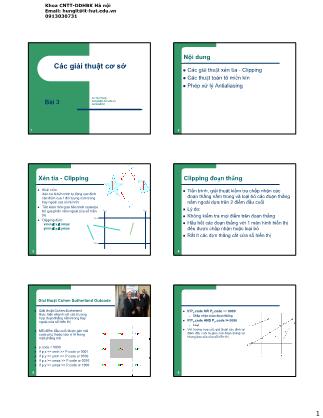
z Tiến trình, giải thuật kiểm tra chấp nhận các
đoạn thẳng nằm trong và loại bỏ các đoạn thẳng
nằm ngoài dựa trên 2 điểm đầu cuối
z Lý do:
z Không kiểm tra mọi điểm trên đoạn thẳng
z Hầu hết các đoạn thẳng với 1 màn hình hiển thị
đều được chấp nhận hoặc loại bỏ
z Rất ít các đợn thẳng cắt cửa sổ hiển thị
 10 trang
28020
Free
10 trang
28020
Free
Bạn đang xem tài liệu "Bài giảng Đồ họa máy tính và thực tế ảo - Bài 3: Xén tỉa-Clipping", để tải tài liệu gốc về máy hãy click vào nút Download ở trên
Tóm tắt nội dung tài liệu: Bài giảng Đồ họa máy tính và thực tế ảo - Bài 3: Xén tỉa-Clipping
Khoa CNTT-DDHBK Hà nội
Email: [email protected]
0913030731
1
1
Các giải thuật cơ sở
Le Tan Hung
[email protected]
0913030731Bài 3
2
Nội dung
z Các giải thuật xén tỉa - Clipping
z Các thuật toán tô miền kín
z Phép xử lý Antialiasing
3
Xén tỉa - Clipping
z Khái niệm
Xén tỉa là tiến trình tự động xác định
các điểm của 1 đối tượng nằm trong
hay ngoài cửa sổ hiển thị
z Tiết kiệm thời gian tiến trình rasterize
bỏ qua phần nằm ngoài cửa sổ hiển
thị
z Clipping điểm
xmin ≤ x ≤ xmax
ymin ≤ y ≤ ymax
xmin xmax
ymax
ymin
4
Clipping đoạn thẳng
z Tiến trình, giải thuật kiểm tra chấp nhận các
đoạn thẳng nằm trong và loại bỏ các đoạn thẳng
nằm ngoài dựa trên 2 điểm đầu cuối
z Lý do:
z Không kiểm tra mọi điểm trên đoạn thẳng
z Hầu hết các đoạn thẳng với 1 màn hình hiển thị
đều được chấp nhận hoặc loại bỏ
z Rất ít các đợn thẳng cắt cửa sổ hiển thị
5
Giải thuật Cohen Sutherland Outcode
z Giải thuật Cohen-Sutherland
thực hiện nhanh với các trương
hợp đoạn thẳng nằm trong hay
ngoài cửa sổ hiện thị
z Mỗi điểm đầu cuối được gán mã
code phụ thuộc vào vị trí trong
mặt phẳng mã
z p.code = 0000
z If p.x > P.code or 0001
z If p.y > P.code or 0100
z If p.x >= xmax >> P.code or 0010
z If p.y >= ymax >> P.code or 1000
6
z If P1.code OR P2.code == 0000
– Chấp nhận toàn đoạn thẳng
z If P1.code AND P2.code != 0000
– Loại
z Với truờng hợp cắt, giải thuật xác định lại
điểm đầu cuối là giao của đoạn thẳng và
khung bao của cửa sổ hiển thị
Khoa CNTT-DDHBK Hà nội
Email: [email protected]
0913030731
2
7
Liabarsky
z x = x1 + (x2 - x1)u = x1 + uDx
z y = y1 + (y2 - y1)u = y1 + uDy
z xmin ≤ x1 + Dx.u ≤ xmax ⇔ x ∈ [xm, xM]
z ymin ≤ y1 + Dy.u ≤ ymax ⇔ y ∈ [ym, yM]
z Pk u ≤ qk k = 1, 2, 3, 4
⎪⎪⎩
⎪⎪⎨
⎧
=
−=
=
−=
DyP
DyP
DxP
DxP
4
3
2
1
⎪⎪⎩
⎪⎪⎨
⎧
−=
−=
−=
−=
14
13
12
11
yyq
yyq
xxq
xxq
M
m
M
m
8
z Nếu Pk = 0 : điều đó tương đương với việc đoạn thẳng
đang xét song song với cạnh thứ k của hình chữ nhật
clipping.
z a) Nếu qk < 0 ⇒ Đường thẳng nằm ngoài cửa sổ (hệ bất
phương trình trên vô nghiệm)
z b)Nếu qk >= 0 thì đoạn thẳng nằm trong hoặc nằm trên
cạnh của cửa sổ clipping.
z Hệ bất phương trình luôn thoả mãn.
9
z Nếu Pk ≠ 0 : đoạn thẳng đang xét sẽ cắt cạnh k tương ứng
của cửa sổ clipping tại vị trí trên đoạn thẳng uk = qk/Pk.
– Pk < 0 đoạn thẳng có dạng đi từ ngoài vào trong
z bất phương trình sẽ có dạng u ≥ qk/Pk Ù u ≥ uk.
– Pk > 0
z u ≥ uk sẽ thuộc cửa sổ hiển thị.
z bất phương trình sẽ có dạng u ≤ qk/Pk
z u ≤ uk với uk = qk/Pk là giao của đoạn thẳng với
cạnh k của cửa sổ clipping
z đoạn thẳng có dạng đi từ trong ra ngoài so với cạnh
k.
10
z Pk < 0 và uk < 0
– cạnh k của cửa sổ clipping cắt đoạn thẳng tại phần mở rộng
nằm ngoài đoạn thẳng.
– uk ≤ u< 0 thoả mãn bất phương trình sẽ không nằm trên đoạn
thẳng cần xét.
– => uk sẽ nhận là 0 khi uk<0
z Pk > 0 và uk > 1
– => uk tương ứng sẽ nhận giá trị 1.
z điểm nằm trong cửa sổ clipping sẽ có dạng như sau:
– U1 ≤ u ≤ U2
11
{ } ⎟⎟⎠
⎞
⎜⎜⎝
⎛
⎭⎬
⎫
⎩⎨
⎧ <=∪= 0,:0max1 k
k
k
kk PP
quuU
{ } ⎟⎟⎠
⎞
⎜⎜⎝
⎛
⎭⎬
⎫
⎩⎨
⎧ >=∪= 0,:1min2 k
k
k
kk PP
quuU
12
Sutherland-Hodgman Clipping
z Basic idea:
– Consider each edge of the viewport individually
– Clip the polygon against the edge equation
– After doing all planes, the polygon is fully clipped
Khoa CNTT-DDHBK Hà nội
Email: [email protected]
0913030731
3
13
Sutherland-Hodgman Clipping
z Input/output for algorithm:
– Input: list of polygon vertices in order
– Output: list of clipped poygon vertices consisting of
old vertices (maybe) and new vertices (maybe)
z Note: this is exactly what we expect from the
clipping operation against each edge
14
Sutherland-Hodgman Clipping
z Sutherland-Hodgman basic routine:
– Go around polygon one vertex at a time
– Current vertex has position p
– Previous vertex had position s, and it has been added
to the output if appropriate
15
Sutherland-Hodgman Clipping
z Edge from s to p takes one of four cases:
(Purple line can be a line or a plane)
inside outside
s
p
p output
inside outside
s
p
no output
inside outside
s
p
i output
inside outside
sp
i output
p output
16
Sutherland-Hodgman Clipping
z Four cases:
– s inside plane and p inside plane
z Add p to output
z Note: s has already been added
– s inside plane and p outside plane
z Find intersection point i
z Add i to output
– s outside plane and p outside plane
z Add nothing
– s outside plane and p inside plane
z Find intersection point i
z Add i to output, followed by p
17
Giải thuật Cyrus-Beck
Liang Barsky
z Giải Cohen-Sutherland yêu cầu cửa sổ là hình chữ
nhật, các cạnh là cạnh của màn hình
z Vấn đề nảy sinh khi cửa sổ clip là 1 đa giác bất kỳ
hoặc hình chữ nhật quay đi 1 góc
z Giải thuật Liang-Barsky tối ưu khi tìm giao điểm của
đoạn thẳng với cử sổ hiển thị
z Nicholl-Lee-Nicholl reducing redundant boundary
clipping by identifying edge and corner regions
18
3-D Clipping
z Before actually drawing on the screen, we have
to clip (Why?)
z Can we transform to screen coordinates first,
then clip in 2D?
– Correctness: shouldn’t draw objects behind viewer
(what will an object with negative z coordinates do in
our perspective matrix?) (draw it)
Khoa CNTT-DDHBK Hà nội
Email: [email protected]
0913030731
4
19
Giải thuật đường biên (Boundary - File
Algorithm)
z Giải_thuật_đường_biên ( x, y )
Color : biến mầu
Begin
Color = Readpixel ( x, y );
If ( Color = mầu tô ) or ( Color = mầu đường biên )
Kết thúc vì chạm biên
hoặc chạm phần đã tô
Else
Putcolor(x,y, mauto)
Giải_thuật_đường_biên ( x+1, y );
Giải_thuật_đường_biên ( x-1, y );
Giải_thuật_đường_biên ( x, y+1 );
Giải_thuật_đường_biên ( x, y-1 );
// Thực hiện lại giải thuật với các điểm lân cận
End.
20
Edge Walking
z Basic idea:
– Draw edges vertically
– Fill in horizontal spans for each scanline
– Interpolate colors down edges
– At each scanline, interpolate
edge colors across span
21
Edge Walking: Notes
z Order vertices in x and y
– 3 cases: break left, break right, no break
z Walk down left and right edges
– Fill each span
– Until breakpoint or bottom vertex is reached
z Advantage: can be made very fast
z Disadvantages:
– Lots of finicky special cases
– Tough to get right
– Need to pay attention to fractional offsets
22
Edge Walking: Notes
z Fractional offsets:
z Be careful when interpolating color values!
z Also: beware gaps between adjacent edges
23
Giải thuật đường quét
Scan-Line Algorithm
z The scan-line algorithm uses edge-coherence and
incremental integer calculations for maximum efficiency:
– Tạo bảng edge table (ET) tập của các cạnh đa giác theo thứ tự
giá trị ymin của chúng
– Tạo bảng active edge table (AET) tập các cạnh giao vớI đoạn
thẳng quét scan-line
z Trong tiến trình quét các cạnh sẽ chuyển từ ET ra AET.
z Các cạnh sẽ ở trong AET cho đến khi giá trị ymax của
cạnh đạt tới = scanline
z Lúc nay cạnh sẽ bị loại ra khỏi AET.
24
Edge Table (ET)
Note: line (8,6) → (13,6) has been deleted according to the scan rules
ymax xmin
numerator
denominator
scan-line
(0,0)
(15,15)
5
31 −=⇒
m
Khoa CNTT-DDHBK Hà nội
Email: [email protected]
0913030731
5
25
Giải thuật dòng quét-Scanline cho việc tô mầu vùng
AET =
yma
x
current x denominator current numerator
round up
round down
26
Active Edge Table (AET)
ymax current x denominator
AET =
current numerator
round up
round down
27
Scan-Line Algorithm
y = y of first non empty entry in ET
AET = null
repeat
move all ET entries in slot y to AET
sort AET entries according to xminfill spans using pairs of AET entries
for all AET members
if ymax = y then remove from AETy = y+1
for all AET members
update numerator
if numerator>denominator
numerator=numerator-denominator
x = x+1
until AET and ET empty
28
Rasterizing Triangles
z Interactive graphics hardware commonly uses
edge walking or edge equation techniques for
rasterizing triangles
z Two techniques we won’t talk about much:
– Recursive subdivision of primitive into micropolygons
(REYES, Renderman)
– Recursive subdivision of screen (Warnock)
29
Recursive Triangle Subdivision
30
Edge Equations
z An edge equation is simply the equation of the
line containing that edge
– Q: What is the equation of a 2D line?
– A: Ax + By + C = 0
– Q: Given a point (x,y), what does plugging x & y into
this equation tell us?
– A: Whether the point is:
z On the line: Ax + By + C = 0
z “Above” the line: Ax + By + C > 0
z “Below” the line: Ax + By + C < 0
Khoa CNTT-DDHBK Hà nội
Email: [email protected]
0913030731
6
31
Edge Equations
z Edge equations thus define two half-spaces:
z And a triangle can be defined as the intersection of
three positive half-spaces:
A1x +
B1y +
C1 < 0
A
2 x + B
2 y + C
2 < 0
A 3
x
+
B 3
y +
 C
3
<
0
A1x +
B1y + C1
> 0
A 3
x
+
B 3
y +
 C
3
>
0 A2 x + B
2 y + C
2 > 0
32
Edge Equations
z Sosimply turn on those pixels for which all
edge equations evaluate to > 0:
+++
-
-
-
33
Using Edge Equations
z An aside: How do you suppose edge equations
are implemented in hardware?
z How would you implement an edge-equation
rasterizer in software?
– Which pixels do you consider?
– How do you compute the edge equations?
– How do you orient them correctly?
34
Using Edge Equations
z Which pixels: compute min,max bounding box
z Edge equations: compute from vertices
z Orientation: ensure area is positive (why?)
35
Hiệu ứng răng cưa
Aliasing - Antialiasing
z Aliasing: signal processing term
with very specific meaning
z Aliasing: computer graphics term
for any unwanted visual artifact
z Antialiasing: computer graphics
term for avoiding unwanted
artifacts
36
Signal Processing
z Raster display: regular sampling of a continuous
function (Really?)
z Think about sampling a 1-D function:
Khoa CNTT-DDHBK Hà nội
Email: [email protected]
0913030731
7
37
Signal Processing
z Sampling a 1-D function:
38
Signal Processing
z Sampling a 1-D function:
39
Signal Processing
z Sampling a 1-D function:
– What do you notice?
40
Signal Processing
z Sampling a 1-D function: what do you notice?
– Jagged, not smooth
41
Signal Processing
z Sampling a 1-D function: what do you notice?
– Jagged, not smooth
– Loses information!
42
Antialiasing
z Méo thông tin trong quá trình lấy mẫu tần số
thấp
z In raster images – leads to jagged edges with
hiệu ứng bậc thang – staircase effect
z Việc làm giảm hiệu ứng méo thông tin bằng
phương pháp bù trừ
sampling frequency
Khoa CNTT-DDHBK Hà nội
Email: [email protected]
0913030731
8
43
Phương pháp khử hiệu ứng răng cưa
Antialiasing Methods
1. Cố định tín hiệu bằng phương pháp lọc-prefiltering:
Giảm độ rộng dải tần tín hiệu bỏi bộ lọc thấphơn trước khi
lấy mẫu.
Highest quality method, but often impractical.
2. Cố định mẫu bằng siêu mẫu supersampling:
Use more samples to raise the Nyquist frequency.
Simple and widely used.
3. Cố định mẫu bằng phương pháp mẫu bất kỳ
- stochastic sampling:
Sample randomly, not uniformly.
Relatively simple, usually used in combination with
supersampling.
44
Prefiltering – Lọc
z Eliminate high frequencies before sampling
(Foley & van Dam p. 630)
– Convert I(x) to F(u)
– Apply a low-pass filter (e.g., multiply F(u) by a box
function)
– Then sample. Result: no aliasing!
z Problem: most rendering algorithms generate
sampled function directly
– e.g., Z-buffer, ray tracing
45
Antialiasing in the
Continuous Domain
z Problem with prefiltering:
– Sampling and image generation inextricably linked in
most renderers
z Z-buffer algorithm
z Ray tracing
– Why?
z Sự cuốn méo với các miền liên tục do hiệu ứng
xấp xỉ của phương pháp tiền lọc
46
Phương pháp siêu mẫu
z Supersampling cons
– Doesn’t eliminate aliasing, just shifts the Nyquist limit
higher
z Can’t fix some scenes (e.g., checkerboard)
– Tăng bộ nhớ cho việc lưu trữ
z Supersampling pros
– Relatively easy
– Often works all right in practice
– Can be added to a standard renderer
47
Antialiasing by
supersampling
48
Khoa CNTT-DDHBK Hà nội
Email: [email protected]
0913030731
9
49
anti aliasing (1)
50
Antialiasing (2)
51
The A-Buffer
z Idea: approximate continuous filtering by
subpixel sampling
z Summing areas now becomes simple
52
The A-Buffer
z Advantages:
– Incorporating into scanline renderer reduces storage costs
dramatically
– Processing per pixel depends only on number of visible
fragments
– Can be implemented efficiently using bitwise logical ops on
subpixel masks
z Disadvantages
– Still basically a supersampling algorithm
– Not a hardware-friendly algorithm
z Lists of potentially visible polygons can
grow without limit
z Work per-pixel non-deterministic
53
Recap:
Antialiasing Strategies
z Supersampling: sample at higher resolution, then
filter down
– Pros:
z Conceptually simple
z Easy to retrofit existing renderers
z Works well most of the time
– Cons:
z High storage costs
z Doesn’t eliminate aliasing, just shifts Nyquist limit upwards
54
Antialiasing Strategies
z A-Buffer: approximate prefiltering of continuous
signal by sampling
– Pros:
z Integrating with scan-line renderer keeps storage costs low
z Can be efficiently implemented with clever bitwise operations
– Cons:
z Still basically a supersampling approach
z Doesn’t integrate with ray-tracing
Khoa CNTT-DDHBK Hà nội
Email: [email protected]
0913030731
10
55
Stochastic Sampling
z An intuitive argument:
– In stochastic sampling, every region of the image has a finite
probability of being sampled
– Thus small features that fall between uniform sample points tend
to be detected by non-uniform samples
z Integrating with different renderers:
– Ray tracing:
z It is just as easy to fire a ray one direction as another
– Z-buffer: hard, but possible
z Notable example: REYES system (?)
z Using image jittering is easier (more later)
– A-buffer: nope
z Totally built around square pixel filter and primitive-to-sample
coherence 56
Stochastic Sampling
z Idea: randomizing distribution of samples
scatters aliases into noise
z Problem: what type of random distribution
to adopt?
z Reason: type of randomness used affects
spectral characteristics of noise into which high
frequencies are converted
z Problem: given a pixel, how to distribute points
(samples) within it?
File đính kèm:
- bai_giang_do_hoa_may_tinh_va_thuc_te_ao_bai_3_xen_tia_clippi.pdf


